Essential Tips for Effective Website Management
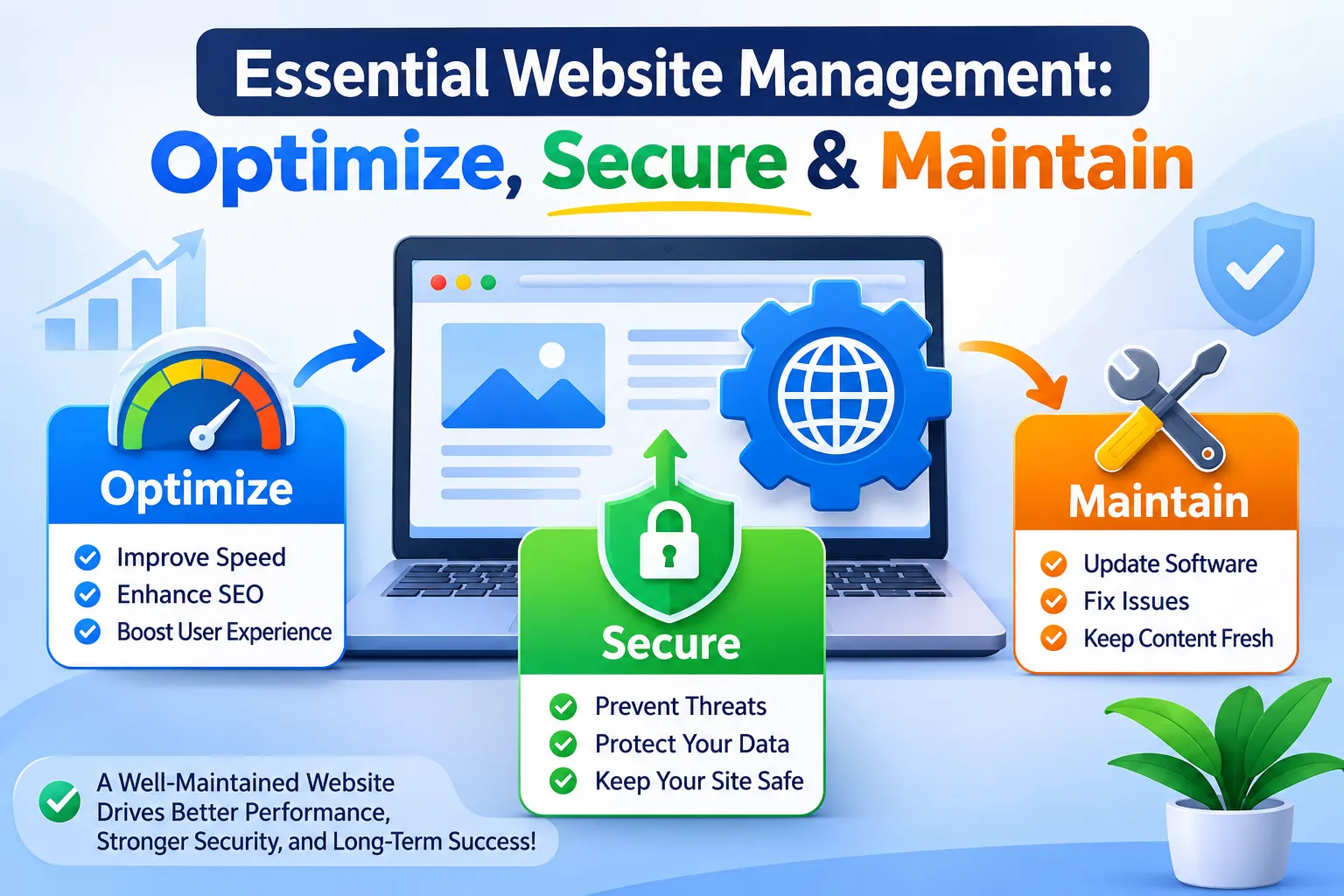
Website management is the ongoing work of keeping a website accurate, secure, usable, and aligned with business goals. It brings together technical maintenance, content management, performance checks, and clear ownership. Whether you run a small business site or manage a larger online presence, the practical approach below helps you organize that work, prioritize meaningful improvements, and keep visitors moving toward their next step.
What does effective website management include?
Effective website management covers the people, processes, and technical tasks needed to operate and improve a website. Website maintenance handles routine upkeep, while broader management also considers what visitors need, which business outcomes matter, and who is responsible for delivering them. Treat the website as an ongoing operation rather than a project that ended at launch.
Start by defining its primary purpose. A service business might prioritize qualified inquiries, while a property manager might focus on available listings, owner inquiries, and resident resources. Use that purpose to decide which pages and functions deserve attention first.
Assign responsibility across four connected areas:
Site administration: Account access, domain renewals, hosting coordination, and supplier records.
Technical upkeep: Software updates, backups, troubleshooting, and recovery procedures.
Content ownership: Accuracy, approvals, publishing, and scheduled reviews.
Continuous improvement: Usability checks, performance reviews, and measurement against business goals.
One person can coordinate these areas without performing every task personally.
Build a maintenance routine with clear priorities
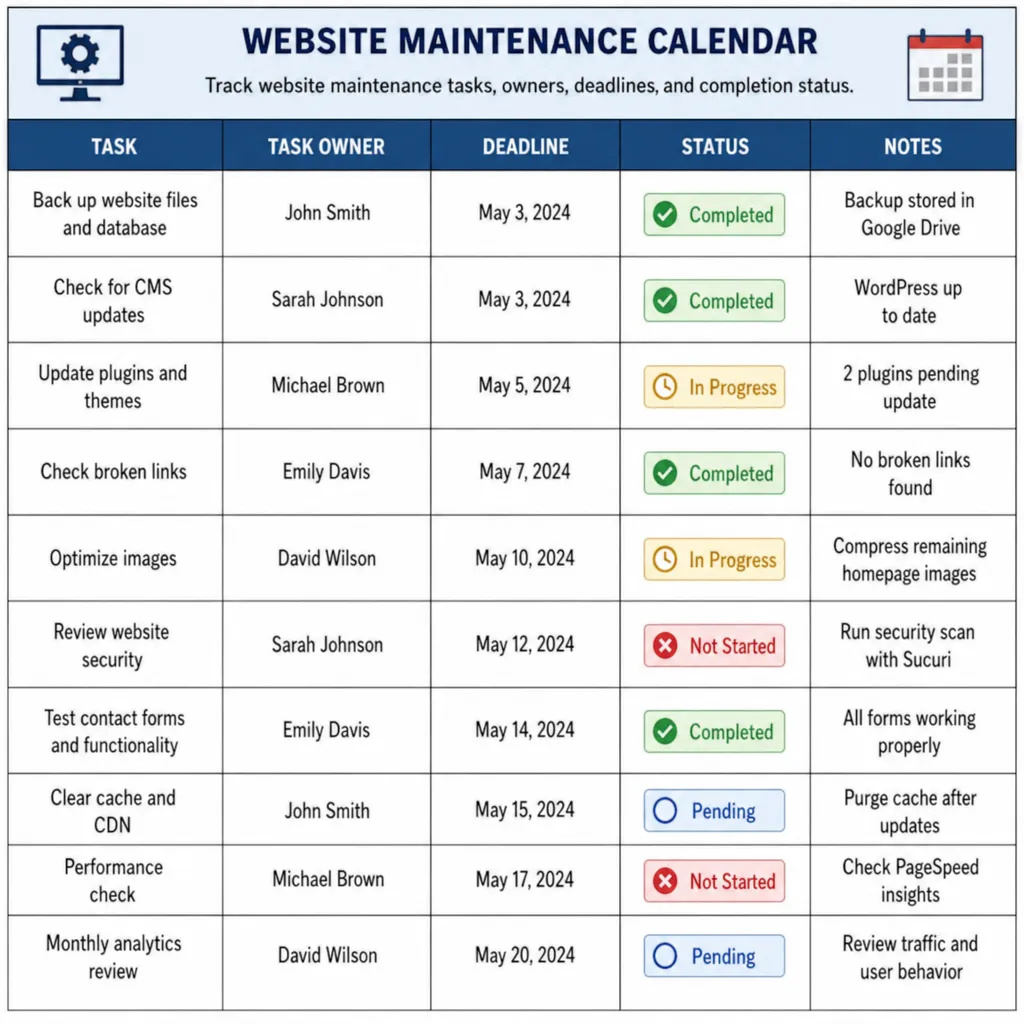
Create a shared maintenance calendar, but avoid treating every task as equally urgent. Separate problems that stop visitors from completing essential actions from improvements that can wait. Give every issue an owner, a deadline, and a simple way to confirm completion.
Use this suggested schedule as a starting point, then adjust it to your publishing frequency and technical setup:
Frequency | Suggested work | Completion check |
|---|---|---|
Daily or automated | Review downtime and security alerts | Investigate alerts and document unresolved issues |
Weekly | Test important forms and review pending website updates | Confirm submissions reach the correct destination |
Monthly | Review key pages, broken links, and performance trends | Assign fixes by visitor impact |
Quarterly | Review access, recovery procedures, and business priorities | Update owners, permissions, and the improvement backlog |
For significant changes, use a repeatable release process: back up, check compatibility, test, publish, and verify. WordPress documentation specifically recommends backing up before updates, reviewing plugin and theme compatibility, and checking the website afterward.
Keep a change log. Record what changed, who approved it, and what was tested so future troubleshooting has a useful starting point.
Make site security part of everyday operations
Treat site security as a standing responsibility, not a task reserved for emergencies. Enable multifactor authentication wherever available, particularly for administrative accounts, and keep software updated. These practices align with CISA’s Secure Our World guidance.
Create an access register covering your content platform, hosting account, domain registrar, and connected services. Record who needs access and review that list whenever someone joins, changes roles, or leaves. Avoid distributing one shared administrator login across the whole team.
Build a practical recovery checklist:
Identify where backups are stored and who can retrieve them.
Define which files, databases, and configurations must be recoverable.
Assign someone to test restoration in a safe environment.
Document the contact sequence for outages or suspected compromise.
Ask your provider to explain exactly what its backup service includes. Do not mark recovery planning complete until someone has demonstrated the restoration process and recorded the result.
Keep content accurate, useful, and easy to maintain
Give content management the same attention as technical upkeep. Assign review dates to important service pages, contact details, staff profiles, and downloadable documents. Ask the responsible business owner to verify accuracy rather than assuming that a page remains correct because it still looks polished.
Use a short publishing brief for each substantial page: intended reader, purpose, supporting evidence, reviewer, and next action. Before adding another article, ask whether improving an existing page would serve the reader better. Google recommends helpful, reliable, people-first content rather than material created primarily to attract search traffic.
For example, review a service page for unanswered practical questions: Who is the service for? What happens after an inquiry? What information should the visitor prepare? Replace vague promotional language with verified answers, and retire outdated downloads instead of leaving competing versions available.
How should you prioritize site optimization?
Prioritize site optimization by combining visitor impact, business importance, and evidence of a problem. Start with essential journeys, such as submitting an inquiry or finding a service, before spending time on cosmetic adjustments. Test the pages involved in those journeys rather than judging the entire website from its homepage.
For web performance, examine loading, responsiveness, and visual stability. Google’s Core Web Vitals address these through Largest Contentful Paint, Interaction to Next Paint, and Cumulative Layout Shift. Use the measurements to investigate specific problems rather than treating one overall score as the goal.
Include usability and accessibility in the same review. Check whether visitors can navigate with a keyboard, understand form labels, and recover from input errors; W3C identifies these as important accessibility considerations.
After making a change, repeat the relevant test and record the result. Where sufficient data exists, compare diagnostic findings with real-user performance information rather than relying exclusively on a single test run. Search Console’s Core Web Vitals report uses real-world usage data.
Match search intent instead of collecting unrelated keywords
Use keyword research to understand what a visitor wants to accomplish. Before assigning a phrase to a page, classify its purpose: learning about a topic, comparing options, or finding a particular organization. Keep your editorial decisions focused on the audience you actually serve, consistent with Google’s people-first content guidance.
Consider these supplied phrases as examples for an intent-sorting exercise, not verified business listings:
Company destination searches: “second avenue property management llc official website” and “second avenue property management company official website” both explicitly request an official destination. Do not treat them as generic website management topics.
Other organization-specific searches: “plaza asset management official website,” “integrity management inc official website,” and “iflow consulting berlin gmbh real estate asset management official website” also name particular organizations. Verify identity and relevance before using them in published content.
An ambiguous evidence query: “theonionhouse net website evidence of trash liners waste management” requires clarification. Do not turn that wording into a claim about a website, product, or organization without supporting evidence.
Apply the same discipline to your own keyword list. Document why each target belongs on the page, remove unrelated terms, and use clear language that answers a real visitor need.
Evaluate templates through real visitor tasks
If you are considering property management website templates, begin with required journeys rather than visual style. Decide whether visitors need listing information, resident resources, owner services, or inquiry forms. Then test how each proposed template supports those tasks on a small screen.
Before committing, ask your team to complete a realistic scenario: find a relevant property, understand the next step, and submit an inquiry. Review how easily editors can update availability and remove outdated information. Include keyboard navigation and form labeling in your evaluation, following W3C’s preliminary accessibility checks.
Use the findings to create acceptance criteria for the design, not just a list of aesthetic preferences.
When should you use web management services?
Consider web management services when the work exceeds your team’s capacity, requires skills you do not have, or lacks dependable ownership. First list the tasks you need covered. Then compare providers against that scope rather than choosing an undefined maintenance package.
When evaluating web management services for small businesses, request written answers about:
Coverage: Which updates, edits, tests, and investigations are included?
Response expectations: How are urgent incidents distinguished from routine requests?
Reporting: Will reports explain completed work and unresolved risks?
Ownership: Who controls the domain, accounts, content, and backups?
Handover: What documentation and access will you receive when the arrangement ends?
Keep business priorities and content approval with a named internal owner. Outsource execution where useful, but retain enough oversight to understand what is happening.
Make consistent improvement the goal
Effective digital management starts with clear ownership and a routine your team can sustain. Protect essential journeys, keep information accurate, test changes, and choose improvements based on observed problems. Begin this week by assigning a website owner, testing your main inquiry path, and scheduling the highest-priority fixes.
Frequently Asked Questions About Website Management
1. What is website management?
Website management is the ongoing process of maintaining, monitoring, optimizing, and securing a website to ensure it performs effectively. It includes software updates, security monitoring, content management, performance optimization, backups, and technical troubleshooting.
2. Why is website management important?
Website management is important because it keeps your website secure, fast, accessible, and up to date. Regular management helps prevent technical issues, protect sensitive information, improve search engine visibility, and provide visitors with a better user experience.
3. What does website management include?
Website management typically includes:
Website performance and speed optimization
Security monitoring and malware protection
Regular software, plugin, and theme updates
Website backups and recovery
Content updates and SEO improvements
Broken link detection and technical troubleshooting
Uptime and performance monitoring
4. How often should a website be maintained?
Website maintenance should be performed regularly. Security monitoring and backups should be automated or checked frequently, software updates should be reviewed as they become available, and website performance and content should be reviewed at least monthly. A comprehensive technical audit every three to six months is also recommended.
5. How can I improve my website's performance?
You can improve website performance by optimizing images, enabling caching, reducing unnecessary JavaScript and CSS, using a content delivery network (CDN), improving server response times, and monitoring Core Web Vitals. Regular performance testing helps identify issues that affect loading speed and user experience.
6. How can I keep my website secure?
Keep your website secure by installing security updates, using HTTPS, enabling strong authentication, maintaining regular backups, monitoring suspicious activity, and applying appropriate access controls. Security plugins, firewalls, and malware scanning tools can provide additional protection.
7. Does website management help with SEO?
Yes. Website management supports SEO by improving website speed, mobile usability, technical performance, content quality, and site accessibility. Regularly fixing broken links, maintaining proper redirects, updating content, and monitoring indexing issues can also help search engines crawl and understand your website.
8. Can I manage my website without technical knowledge?
Yes. Many content management systems provide user-friendly dashboards for updating content, managing images, and performing basic maintenance. However, technical tasks such as server configuration, database optimization, security troubleshooting, and performance improvements may require professional assistance.
9. How much does website management cost?
Website management costs depend on website complexity, hosting requirements, security needs, update frequency, and the level of professional support required. Small business websites generally need less maintenance than large e-commerce platforms or complex web applications. Requesting a customized service plan is the best way to determine the cost.
10. When should I hire a professional website management service?
Consider hiring a professional when your website experiences recurring technical problems, security vulnerabilities, slow loading speeds, frequent downtime, or requires ongoing updates and optimization. Professional website management helps businesses maintain a reliable online presence while focusing on their core operations.
Keep Your Website Running at Its Best with Saesoft
Your website deserves more than occasional updates. It needs consistent maintenance, reliable security, and ongoing performance optimization to support your business goals.
At Saesoft, we help businesses maintain healthy, secure, and high-performing websites through professional website management solutions. From technical updates and security monitoring to speed optimization and ongoing support, we help keep your website running smoothly.
Don't let technical issues slow down your business. Invest in proactive website management and focus on what matters most: growing your business.
Need reliable website management services?
Contact Saesoft today to discuss your website management needs and find the right solution for your business.