
Essential Tips for Ecommerce Website Maintenance
Ecommerce website maintenance is the ongoing work of keeping an online store secure, functional, accurate, and easy to use. It includes software updates, backups, checkout testing, and technical checks—not just refreshing the homepage. This guide explains what to prioritize, how to organize routine tasks, and what to ask when choosing outside support.
What does ecommerce website maintenance include?
Ecommerce website maintenance covers the technical systems, product information, and purchasing workflows that keep a store operating. A practical plan combines preventive work, such as testing updates, with checks that confirm customers can browse products and complete orders. WooCommerce’s maintenance guidance, for example, includes backups, staging tests, updates, and verification of essential store functions.
For your own site management plan, divide responsibilities into three groups:
Protection: Account access, security updates, backups, and recovery procedures.
Operations: Product accuracy, checkout testing, inventory connections, and order notifications.
Improvement: Performance reviews, navigation fixes, and search visibility checks.
Give each task an owner and a clear definition of completion. “Check checkout” is vague; “place a test order and verify its confirmation email” gives the person responsible something concrete to verify.
Secure access before adding more tools
Start your website care routine with the accounts that control the business. Enable multifactor authentication wherever available, especially for store administration. Shopify notes that two-step authentication adds protection against unauthorized access even when a password is compromised.
Review permissions alongside sign-in security. Where your platform supports granular roles, assign access according to each person’s responsibilities rather than giving everyone unrestricted administration rights. Shopify, for example, allows permissions to be assigned through roles.
Use this access-review checklist:
Remove accounts belonging to former employees and contractors.
Replace shared administrator logins with individual accounts.
Review connected apps and document why each needs access.
Confirm who controls the domain, hosting, and recovery details.
Keep an emergency contact list outside the storefront itself. Record who can approve urgent changes and who should contact providers if an administrator loses access. Treat that list as part of operations, not an afterthought.
Make backups useful, not merely automatic
A backup plan should specify what is captured and how restoration will be tested. For a self-hosted WooCommerce store, both the database and relevant site files matter; the database contains information such as products, orders, and settings. Make a current backup before updating.
Ask whoever manages backups to demonstrate a recovery exercise in an isolated environment. Agree on how much recent data the business could tolerate losing and how orders received after a backup would be reconciled. Do not approve a live restoration without considering those newer orders.
Record backup ownership, storage access, retention, and restoration instructions in one place. If a provider manages this work, request evidence of successful tests rather than accepting “backups included” as sufficient detail.
Test updates before changing the live store
Treat software updates as controlled changes. Review what is changing, test the proposed update set in a staging environment, and verify important workflows before applying it to production. WooCommerce specifically recommends testing updates on staging rather than directly on the live store.
Maintain a change log with the date, components changed, person responsible, and test results. For each release, nominate someone to check the live store afterward and someone authorized to stop the rollout. Ask your provider how urgent security fixes are handled between scheduled maintenance windows.
Check the entire buying journey
For online store maintenance, use a repeatable test script rather than an informal browse. Start at a category page, choose a product variation, add it to the cart, and follow the purchase through confirmation. Include checks for shipping, tax, payment behavior, and order emails, which WooCommerce identifies as important post-update workflows.
Build your script around actual selling scenarios:
A guest purchases one standard product.
A returning customer signs in and changes an address.
A shopper applies a valid promotion and encounters an expired one.
A customer selects a product with size or color options.
An order moves into the fulfillment workflow.
Use the payment provider’s approved testing method and document expected results. Repeat important checks on a phone, not only a desktop. When something fails, capture the device, browser, steps, and error message so whoever handles e-commerce support can reproduce it.
Make website optimization an ongoing habit
Measure performance across representative templates: the homepage, a category, a product, and the cart. Google’s Core Web Vitals assess loading performance, responsiveness, and visual stability. Use these measurements to identify specific problems instead of judging the whole store by one speed score.
Begin investigations with image delivery and third-party scripts. Appropriately sized images can reduce unnecessary downloads, while external scripts deserve scrutiny because they can affect performance. Review whether each app, widget, and tracking tool still earns its place.
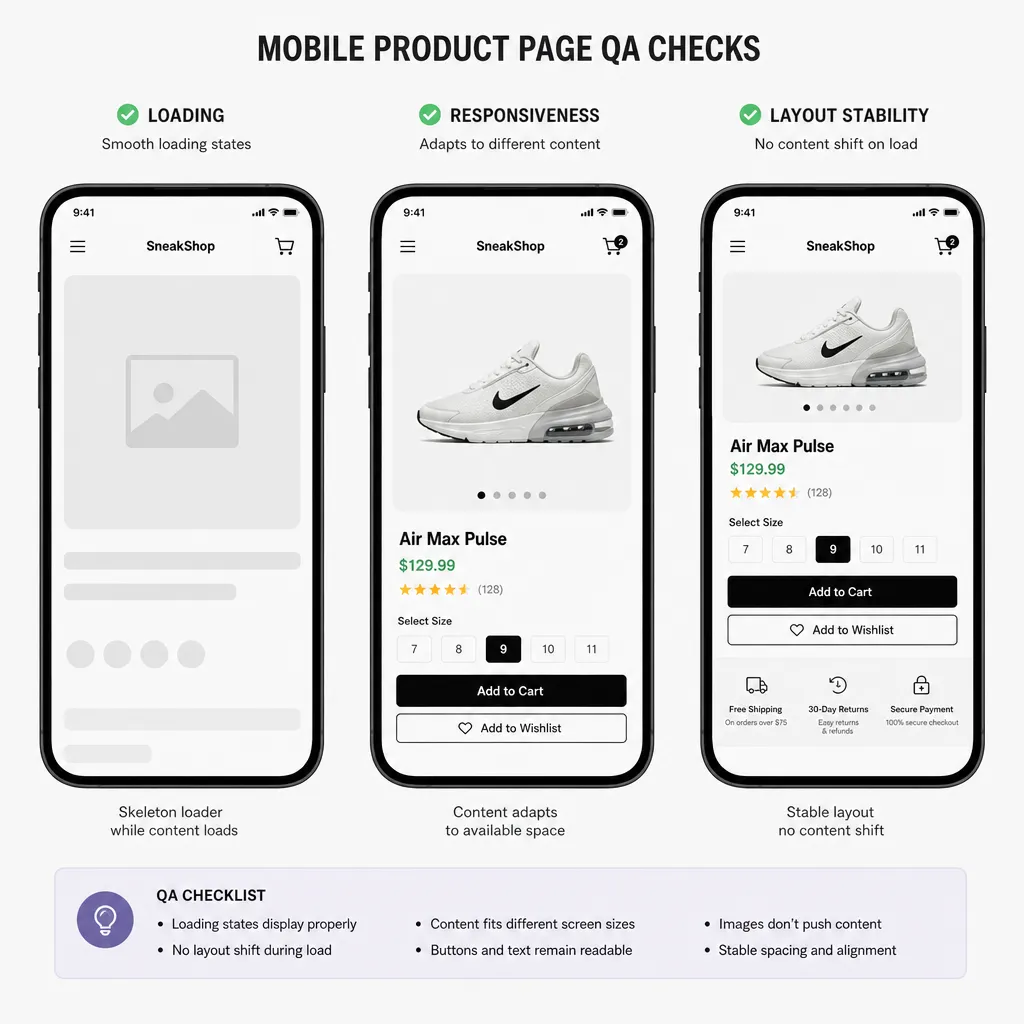
For each optimization, record the affected template, the change, and the before-and-after result. Then repeat the buying-journey test. Make functional testing part of acceptance rather than treating a better performance score as permission to skip it.
Keep product content and search signals aligned
Include catalog accuracy in store maintenance. Review descriptions, product images, availability, shipping information, and return details together. Google’s ecommerce guidance emphasizes informative product content and clear customer-service information as useful parts of an ecommerce presence.
When products or categories change, review their internal links and URLs. Google recommends consistent URLs across internal links, sitemaps, and canonical tags to help it understand product pages. Avoid treating a catalog reorganization as a content-only task.
Also check relevant structured data—the machine-readable information that helps search engines interpret page content. Product and breadcrumb markup should be part of your technical review where applicable. Structured data helps communicate meaning; it does not replace useful page content.
Assign merchandising and technical owners to this review so neither assumes the other has handled it.
How often should you perform maintenance?
Use a recurring schedule, then add checks after meaningful changes. The following is a suggested starting point, not a universal requirement. Adjust it to your order volume, release frequency, staffing, and the consequences of a failure.
Cadence | Suggested work |
|---|---|
Daily | Review operational alerts, failed orders, backup status, and urgent customer reports. |
Weekly | Walk through checkout, review promotions, and investigate recurring support issues. |
Monthly | Review updates, account access, performance trends, and search-related errors. |
Quarterly | Exercise recovery procedures, reassess apps, and review provider responsibilities. |
After significant changes | Retest affected journeys and verify the live release. |
Keep one prioritized maintenance queue. Label each issue with its business impact, owner, and next action. An unfamiliar error deserves investigation, but not every cosmetic imperfection should interrupt checkout repairs. Review unfinished work regularly so low-priority items do not disappear indefinitely.
Choose support by scope, not promises
When evaluating ecommerce website maintenance services, ask providers to describe exactly what they will do for your platform and integrations. Compare a prospective ecommerce website maintenance company against your own task list rather than its headline promises. A useful proposal should distinguish preventive work, incident response, and improvement projects.
Ask these questions before signing:
Does the ecommerce website maintenance service include checkout testing and recovery exercises?
Who responds outside business hours, and what counts as an emergency?
Are response targets different from resolution commitments?
Which tasks require additional approval or fees?
Who owns accounts, documentation, backups, and custom code?
If you search for the “top website maintenance companies for ecommerce stores,” use those lists to build a shortlist, not make the final decision. Request relevant work examples and a sample report.
Compare ecommerce website maintenance packages line by line. To assess ecommerce website maintenance costs, request separate figures for recurring work, onboarding, emergency assistance, licenses, and excluded development. Do not assume a higher tier covers your particular integrations; have the provider name them in writing.
Build a routine you can sustain
Start with an inventory of responsibilities, a tested purchase journey, and a clear escalation path. Assign owners before expanding the checklist. Whether maintenance stays in-house or moves to a provider, make completion visible through test results, change records, and unresolved issues. The best next step is a manageable routine your team will actually follow.
Frequently Asked Questions About Ecommerce Website Maintenance
1. What is ecommerce website maintenance?
Ecommerce website maintenance is the ongoing process of updating, monitoring, securing, and optimizing an online store to ensure it operates smoothly. It includes software updates, security checks, performance optimization, backups, and checkout testing.
2. Why is ecommerce website maintenance important?
Regular maintenance helps protect customer information, prevent website downtime, improve loading speed, fix technical issues, and provide a better shopping experience. It also helps maintain customer trust and support online sales.
3. How often should an ecommerce website be maintained?
Ecommerce websites should be monitored regularly. Security monitoring and backups should be performed frequently, while software updates, performance checks, checkout testing, and technical SEO audits should follow a consistent maintenance schedule.
4. What are the essential ecommerce website maintenance tasks?
Important maintenance tasks include:
Updating ecommerce platforms, themes, and plugins.
Monitoring website security and vulnerabilities.
Creating regular website backups.
Testing shopping carts and checkout processes.
Optimizing website speed and performance.
Fixing broken links and technical errors.
Updating product descriptions and images.
Monitoring website uptime and SEO performance.
5. How can I improve my ecommerce website performance?
You can improve performance by optimizing images, enabling caching, minimizing unnecessary scripts, using a reliable hosting provider, implementing a CDN, and monitoring Core Web Vitals.
6. How much does ecommerce website maintenance cost?
The cost depends on website complexity, platform, traffic, security requirements, and maintenance frequency. Small online stores generally require less maintenance than large ecommerce platforms with extensive products and integrations.
7. Can poor website maintenance affect ecommerce sales?
Yes. Slow loading speeds, broken checkout pages, security problems, and website downtime can frustrate customers and lead to abandoned carts, lost sales, and reduced customer confidence.
8. Should I hire a professional ecommerce website maintenance service?
Keep Your Online Store Running at Its Best with Saesoft
Hiring professionals can help ensure your online store receives regular updates, security monitoring, technical support, performance optimization, and troubleshooting. This allows you to focus more on managing your products, customers, and business growth.
Your ecommerce website is more than just an online store—it's an essential part of your business. Regular maintenance helps protect customer data, improve website performance, prevent unexpected downtime, and create a smooth shopping experience.
At Saesoft, we understand the importance of keeping your website running efficiently. Whether you need website updates, security improvements, performance optimization, or ongoing technical support, we're here to help.
Want to keep your online store running at its best?
Explore our Website Maintenance Services and let Saesoft help you build and maintain a reliable online presence.