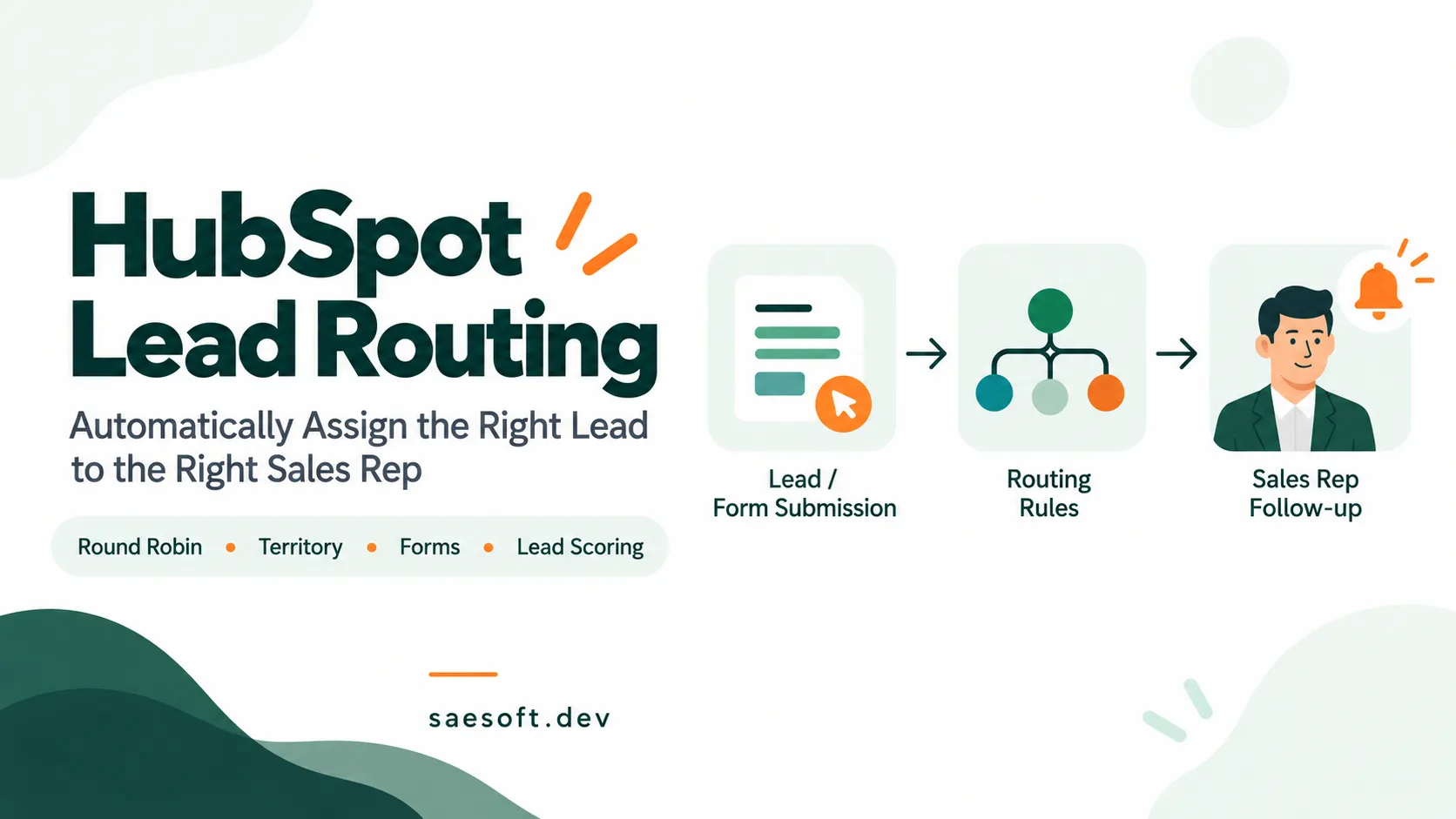
HubSpot lead routing is a core part of lead management automation and removes one of the biggest bottlenecks in sales: deciding who should follow up with each new lead.
Instead of manual review of form submissions, territory checks, lead quality, and contact assignment, HubSpot can automate most of that work. A new lead can enter HubSpot CRM, be checked against your routing rules and lead assignment rules, and be sent to the right person or team through automated lead routing without manual handoff.
The challenge is that sales lead routing gets complex fast. A simple round-robin setup may work for a small team, but larger groups often need sales territory management, company size, product interest, lead score, rep availability, existing ownership, or fallback rules.
This guide explains how HubSpot lead routing works, how to automatically assign leads, how to build form and territory routing, how round robin lead assignment works, and how to avoid common routing mistakes.
HubSpot also expanded its lead-assignment tools in 2026. Its current workflow docs include lead-based assignment in beta with round robin, load balanced, random distribution, contact-owner assignment, availability checks, and fallback behavior for supported accounts.
What Is HubSpot Lead Routing?
Lead routing is the process of deciding which sales rep, team, territory, or workflow should receive a new lead.
Suppose a SaaS company gets a demo request from a visitor in Germany. The company may have separate sales teams for North America and Europe. Instead of sending every demo request to one shared inbox, HubSpot can check the lead's country and route the German prospect to the European sales team.
A more advanced routing system may look at several factors before it decides.
A high-value enterprise prospect could go to an enterprise account executive. A small company could go to an SMB sales team. A prospect interested in Product A could go to one team, while someone interested in Product B could go to another. Leads that do not match any rule can go to a fallback owner.
That is the basic idea behind lead routing.
Lead routing is the decision step.
Lead assignment is the action that gives a CRM record to a specific owner.
The two ideas are close, which is why people searching for HubSpot lead assignment, CRM lead assignment, lead routing in HubSpot, or how to assign leads in HubSpot are often solving the same problem.
How Does Lead Routing Work in HubSpot?
A normal HubSpot routing flow has five stages.
A lead enters HubSpot through a form, import, integration, API, manual record, or another source. HubSpot then checks the data on that record. A workflow applies your routing rules, chooses who should get the lead, and updates the right owner property. Extra automation can then notify the sales rep or start follow-up.
In short, the flow looks like this:
Lead captured → qualification → routing rules → owner assignment → sales follow-up
The routing rules are where most of the strategy lives.
For example, imagine that SaeSoft receives three inquiries:
Lead | Country | Company size | Interest | Routing result |
|---|---|---|---|---|
Lead A | United States | 15 employees | Website automation | SMB sales |
Lead B | Germany | 400 employees | CRM integration | Europe enterprise |
Lead C | United States | 1,500 employees | HubSpot integration | Enterprise sales |
All three leads may have submitted the same form. The routing workflow decides that they should not all go to the same salesperson.
HubSpot's current workflow system can use Rotate record to owner to assign records to eligible users or teams. For most supported record types, records can be spread evenly among selected users. HubSpot's newer lead-based workflow assignment features add more lead distribution options for eligible accounts.
What You Need Before Setting Up HubSpot Lead Routing
The biggest mistake in lead routing is starting in the workflow builder before defining the business rules.
A workflow can only make good decisions when the CRM has reliable data.
For territory routing, you may need properties like country, state, region, language, or timezone. For account-based routing, you may need company size, industry, annual revenue, or account tier. Product-based routing may depend on a form selection or product-interest property.
You should also decide what happens when information is missing.
Imagine a workflow with these rules:
United States → US sales team
United Kingdom → UK sales team
Germany → DACH sales team
What happens when a lead comes from Brazil?
Without a fallback path, the lead could stay unassigned or move through automation in a way you did not mean.
Before you build the workflow, define four things clearly: who qualifies for routing, which properties decide the route, who can receive leads, and what happens when no rule matches.
Also check your HubSpot subscription and seat setup before you design the process. HubSpot's current docs say the Rotate record to owner action is available with supported Professional and Enterprise subscriptions, and users selected for assignment need the right paid Sales or Service seats.
How to Set Up Lead Routing in HubSpot Step by Step
The interface may change as HubSpot updates its workflow tools, but the core process stays the same. With HubSpot workflow automation, you can build the trigger, branch, and assignment in one flow.
Create the workflow
Open HubSpot and go to Automation → Workflows.
Create a workflow based on the CRM object you want to route. For many inbound processes, that is a contact-based workflow. If you use HubSpot's Leads object and your account has access to the newer lead-based workflow feature, you may use a lead-based workflow instead.
HubSpot's current docs tell users to create or open a workflow, set enrollment triggers, add an action, and choose Rotate record to owner from the CRM actions when assigning supported records.
Define the enrollment trigger
The enrollment trigger decides which records enter the workflow.
For example, you could enroll contacts when:
Form submission = Request a Demo
That is much safer than routing every contact in your database.
You could make the trigger more specific:
Form submission = Request a Demo AND lifecycle stage = Marketing Qualified Lead
The right trigger depends on your sales process.
The key point is that workflow enrollment and routing logic solve different problems.
The enrollment rule answers:
Should this lead enter the routing process?
The routing branches answer:
Where should this lead go?
Keeping those jobs separate makes workflows easier to understand and debug.
Create your routing logic
Now decide how HubSpot will choose the right route.
For a territory workflow, that may be based on country.
For a product-led company, the workflow could branch by product interest.
For a B2B sales team, you might combine company size with region.
For example:
Enterprise company + United States → US Enterprise Team
Enterprise company + Europe → European Enterprise Team
SMB company → SMB Team
Everything else → General Sales Queue
The last branch matters. Every routing workflow should have a clear fallback path.
Assign the record
Once a record reaches the right branch, assign it to an eligible owner or team.
HubSpot's Rotate record to owner action lets supported workflows pick specific users or teams and choose whether an existing owner should be overwritten.
Be careful with the overwrite option.
If your process says that an existing owner should keep responsibility for a returning prospect, automatic overwrite can create conflict between reps.
On the other hand, some cases do need reassignment.
Decide that rule before you turn on the workflow.
Add follow-up automation
Assignment alone does not guarantee that a lead gets contacted.
After the owner is assigned, your workflow may also need to create a task, send an internal notification, update a lead-status property, create another CRM record, or trigger a sales process.
This is where routing becomes part of a larger revenue system rather than a single CRM action.
How to Set Up Lead Form Routing in HubSpot
Lead form routing in HubSpot can mean two different things, and that difference matters.
The first is CRM ownership routing.
A visitor submits a form, HubSpot creates or updates the contact, a workflow checks the submitted data, and the contact is assigned to a salesperson.
The second is post-submission visitor routing.
Instead of showing the same thank-you page to everyone, HubSpot can use conditional form logic to redirect visitors based on their answers.
For example, a form could ask:
Which region are you in?
A visitor who selects Europe could go to one destination, while someone who selects North America could go somewhere else.
HubSpot's current forms docs support conditional logic for showing or hiding form elements and redirecting visitors after submission. Depending on the subscription, redirects can lead to HubSpot pages, external URLs, and, in supported Sales Hub or Service Hub Enterprise setups, scheduling pages.
That means a company could build a flow like this:
Demo form → identify territory → redirect prospect to the right booking experience
while also using a CRM workflow to assign the contact record.
These two processes can work together, but they are not the same.
How to Automatically Assign Leads in HubSpot
Automatic lead assignment is useful when manual lead distribution would slow things down.
Imagine receiving 100 inbound inquiries per day. If one employee has to review every submission and decide who gets it, response time depends on that person's availability.
Automation removes that bottleneck.
A simple assignment workflow could enroll qualified leads and rotate them among three sales reps.
A more advanced workflow could first decide territory, then route the lead into a territory-specific assignment pool.
For example:
United States → Alice, Ben, Carlos
Europe → Eva, Daniel
Asia-Pacific → Priya, Ken
The routing rule chooses the right group. The assignment logic chooses which person gets the record.
HubSpot's docs say that, for most record types using Rotate record to owner, enrolled records are spread evenly among selected eligible users or team members. HubSpot also notes that changing the owners in an active rotation resets the assignment counts for that action.
That is worth remembering when you change a live routing workflow.
Round-Robin Lead Routing in HubSpot
Round-robin routing sends leads in order across a group of salespeople.
Suppose there are three eligible reps:
Anna → Ben → Carlos → Anna → Ben → Carlos
The goal is to prevent one rep from getting every lead while others get very few.
Round robin works best when reps have similar duties and similar qualification levels.
It is less useful when your sales team is highly specialized.
For example, sending a $500,000 enterprise deal to a new SMB rep just because that rep is next in line may not make sense.
In those cases, segmentation should happen before round robin.
The logic becomes:
Decide the lead segment → choose the right sales pool → distribute within that pool
HubSpot's September 2026 docs list Round Robin, Random, and Load Balanced as extra assignment modes for supported lead-based workflows in beta.
Because the lead-based feature is still documented as beta, teams should confirm what is active in their own HubSpot account before they rebuild a production routing process.
Route Leads by Territory
Territory-based routing is a key part of sales territory management and one of the most common HubSpot lead-routing models.
A global company may have separate teams for different countries or regions.
Rule | Destination |
|---|---|
Country = US or Canada | North America Sales |
Country = UK or Ireland | UK & Ireland Sales |
Country = Germany, Austria, Switzerland | DACH Sales |
Country = Australia or New Zealand | ANZ Sales |
No matching country | Global Sales Queue |
The number of branches matters less than the quality of the data behind them.
Country names can get messy when data enters HubSpot from multiple systems. One integration may send United States, another USA, and another US.
When possible, use standardized properties and controlled form options instead of relying on free-text values.
You can also combine territory with other criteria.
For example:
Country = Germany AND company size > 500 employees → DACH Enterprise
while:
Country = Germany AND company size ≤ 500 → DACH SMB
That gives you much more control than geography alone.
Route Leads by Company Size, Industry, or Product Interest
Not every company organizes sales teams by region.
Some route by account value.
Others route by vertical.
A software company may have reps who focus on healthcare, finance, ecommerce, or manufacturing.
Another company may divide teams by product.
For example, imagine a business that sells three products: Analytics, Automation, and Security.
A form asks prospects:
Which solution are you interested in?
The workflow could send Analytics leads to one sales group, Automation leads to another, and Security leads to specialists who know that product well.
You can combine these dimensions.
A large financial-services company interested in Security might go to an enterprise security specialist, while a small ecommerce company interested in the same product might go to an SMB team.
The best routing rule is not always the most complex one. It is the simplest rule that matches how your sales team actually works.
Route Qualified Leads Using Lead Scores
Not every lead should reach sales right away.
Someone downloading an educational guide may be much earlier in the buying process than someone asking for a pricing call.
Lead scoring can help separate those cases.
A simple model could raise a contact's score when the person visits high-intent pages, submits key forms, belongs to a target industry, or matches the company's ideal customer profile.
Once a lead reaches the qualification threshold, the contact can enter the sales-routing workflow.
In short:
Lead activity → lead score → qualification threshold → routing workflow → owner assignment
This keeps sales teams from getting every new contact no matter the buying intent.
That is the lead qualification step.
Lead scoring deserves its own guide, so do not put your full scoring model inside one routing workflow. Keeping qualification and routing separate makes both systems easier to maintain.
Build Fallback Rules for Unmatched Leads
Every production routing workflow should answer one question:
What happens when something goes wrong?
Suppose your workflow routes leads by country, but someone submits a form without a country value.
Or your branches never added a new market that appeared.
Or all of the reps in an assignment pool are out.
A fallback rule keeps those records from disappearing silently.
A fallback route might assign the lead to sales operations, send it to a general sales queue, create a task for manual review, or notify an administrator that the record needs attention.
For newer lead-based workflow assignment, HubSpot's docs explicitly mention fallback behavior in cases like contact-owner assignment failure. They also note that when the option to assign only to available users is enabled and everyone in the pool is away, the owner can stay unassigned.
That makes fallback monitoring very important.
An unassigned lead should be treated as a work issue, not a normal result.
Prevent Duplicate or Incorrect Lead Assignment
Lead-routing problems often show up when more than one workflow can change the same owner property.
For example, one workflow might assign leads by geography while another assigns them by product.
A contact could enter the geography workflow first and Anna could assign them.
Seconds later, the product workflow could run and overwrite Anna with Carlos.
Neither workflow is broken. The architecture is.
A better approach is to decide which system owns the final assignment decision.
You can also protect records that already have valid owners.
HubSpot's Rotate record to owner action includes an option that controls whether an existing owner is overwritten. Use that on purpose instead of replacing ownership every time a record re-enters automation.
Re-enrollment settings matter too.
If a workflow should route a lead only once, repeat enrollment may cause unwanted reassignment.
If the routing rule should change as territory or qualification changes, re-enrollment may be the right choice.
There is no single answer. The right behavior depends on your sales process.
How to Test a HubSpot Lead Routing Workflow
Do not test a routing system with only one perfect example.
Create realistic test records that cover different paths.
If you route by territory, test every territory plus one unknown territory.
If you use company size, test values just above and just below the threshold.
If an existing owner should stay in place, test a record that already has an owner.
If your workflow depends on a form field, test the form with different values and with optional fields left blank.
Also test the fallback branch.
A routing workflow that handles perfect data but fails when a property is missing is not ready for production.
Testing is even more important after you change the assignment pool. HubSpot says changing owners in a live Rotate record can reset assignment counts for that action.
Common HubSpot Lead Routing Problems and Fixes
Leads remain unassigned
First, check the workflow history.
Confirm that the record met the enrollment criteria, reached the right branch, and ran the owner-assignment action.
Also confirm that the selected users can receive records.
HubSpot says that inactive users, users without the right paid seats, and some team members may not be able to use Rotate record to owner.
Leads are assigned to the wrong salesperson
This is usually a data or branch problem, not an assignment problem.
Check the exact property values used by the routing logic.
A country stored as USA will not always match a rule that expects United States unless your workflow accounts for it.
Existing owners keep changing
Check whether the assignment action is set to overwrite existing owners.
Then check whether more than one workflow updates the same owner property.
Finally, inspect re-enrollment settings.
The workflow never enrolls the lead
Review the trigger using the real CRM record.
A common mistake is assuming that a property has a value when it is actually blank or stored in a different format.
Salesforce keeps changing the owner back
This matters even more if HubSpot and Salesforce are synced.
HubSpot warns that when a HubSpot owner property syncs with Salesforce, Salesforce can try to restore the previous owner after HubSpot changes it.
Owner sync should be part of the routing architecture, not an unrelated integration detail.
Native HubSpot Routing vs Custom Lead Routing
Native HubSpot workflows are enough for many companies.
If your logic is basically:
Form submission → territory branch → rotate between reps → notify owner
there may be no reason to add another system.
Custom routing becomes useful when the decision depends on data HubSpot cannot easily check on its own.
For example, you might need to check live inventory, query an external database, compare account ownership across several systems, apply custom capacity rules, sync with an internal application, or run complex calculations before assigning the lead.
At that point, the architecture may look more like this:
HubSpot → webhook/API → custom routing logic → external systems → HubSpot ownership update
Tools such as Make or n8n can handle many middle automation cases without building a full app. More complex needs may justify a custom HubSpot API integration.
That is where HubSpot sales automation works best: use the native tools when they solve the problem cleanly.
The goal should not be to make the system technically impressive.
Use native HubSpot features when they solve the problem cleanly. Add external automation only when the business rules really require it.
HubSpot Lead Routing Examples
Small sales team
A company has four sales reps who handle the same type of customer.
Every qualified demo request enters one workflow and is spread across those reps.
A simple rotation model is probably enough.
Territory-based SaaS company
A SaaS business sells globally.
Inbound leads are first sorted into North America, Europe, or Asia-Pacific. Each region has its own eligible sales pool. Records are then distributed within the right pool.
This prevents an American rep from getting a prospect that belongs to the European team.
Product-based sales organization
A company sells several technically different products.
Form submissions capture product interest.
The workflow uses that property to route prospects to the right product specialists.
Enterprise lead routing
A company wants its most valuable opportunities handled by senior salespeople.
The workflow checks company size or another qualification signal before assignment.
Smaller accounts go to the normal sales pool, while enterprise prospects go to an enterprise team.
You can combine these examples. A real sales organization may route by region first, company size second, and product interest third.
That is perfectly reasonable as long as the workflow stays clear.
HubSpot Lead Routing Best Practices
The best lead-routing systems are usually easier to explain than badly designed ones.
A salesperson should be able to ask why they got this lead and get a clear answer.
Avoid creating dozens of branches when a simpler structure can do the same job.
Keep routing properties standardized. Keep a clear fallback path. Review unassigned leads often. Test workflows after sales team changes. Document who owns each part of the routing logic.
Most important, measure what happens after assignment.
A technically perfect routing workflow is not useful if leads sit untouched for hours.
Routing should improve response time, meeting-booking rate, opportunity creation, sales team productivity, and revenue.
Frequently Asked Questions About HubSpot Lead Routing
Does HubSpot have lead routing?
Yes. HubSpot workflows can assign and rotate supported CRM records among eligible users or teams. HubSpot also documents newer lead-based workflow assignment in beta for supported Sales Hub Professional and Enterprise accounts.
Can HubSpot automatically assign leads?
Yes. Workflows can automate owner assignment based on enrollment criteria and routing rules. The available assignment options depend on the record type, subscription, seat setup, and features in your account.
Does HubSpot support round-robin lead assignment?
Yes. HubSpot supports record rotation, and its current lead-based workflow beta includes round robin distribution for eligible lead workflows.
Can HubSpot route leads from forms?
Yes. A form submission can be part of an automated CRM workflow, letting submitted contacts be checked and assigned based on your routing rules.
HubSpot forms can also use conditional logic to redirect visitors after submission based on their answers, although the available destinations and features depend on the subscription.
Can HubSpot route leads by territory?
Yes. You can build workflow branches around properties such as country, region, state, language, or other CRM data and then assign records to the right users or teams.
Can HubSpot use lead scores for routing?
Yes. Lead score or qualification data can be added to an automation strategy so qualified leads enter the right routing process. It is usually cleaner to treat qualification and routing as related but separate layers.
What should happen when no routing rule matches?
Send the lead through a fallback path instead of letting it disappear. That could mean assigning a default owner, creating a manual-review task, putting the lead in a general queue, or notifying sales operations.
Final Thoughts
HubSpot lead routing does not need to start with a complex automation stack.
Start by answering three questions:
Who should receive each type of lead?
What CRM data can reliably identify that type of lead?
What should happen when the normal routing rules cannot make a decision?
Once those rules are clear, HubSpot can automate most of the day-to-day work.
A small sales team may need nothing more than simple owner rotation. A growing company may add territory, company size, product interest, qualification, availability, and fallback rules. More complex businesses may eventually connect HubSpot to external systems through automation platforms, webhooks, or custom APIs.
The important part is to keep the routing logic aligned with the real sales process.
When lead routing is designed well, the result is not just cleaner CRM data. The right prospect reaches the right salesperson faster, and the sales team spends less time deciding who should follow up.